
Understanding Invoice Template Designers
What is an Invoice Template Designer?
You’ve probably felt the hassle of creating an invoice from scratch every time. If that sounds familiar, an invoice template designer can be a lifesaver. This tool is designed to help you efficiently create, customize, and manage custom invoice templates. You no longer have to manually set up layouts or calculate totals each time you create a new invoice. Key elements like client names, dates, and payment totals can be automated with the help of smart features built into the tool.
Why It Matters for Businesses and Freelancers
An invoice template designer makes your documents cleaner, speeds up payment processes, reduces errors, and reinforces your brand identity. For example, by adding your logo, brand colors, and specific typography, you present a much more professional image to clients.
If you’re a freelancer, small business owner, or even a creative agency, having a fast invoicing system that reflects the quality of your services is essential. This tool might be the solution you need to focus on what matters most in your business.
Don’t underestimate the importance of how your invoices look. Use an invoice template designer to speed up your workflow, maintain visual consistency, and leave a professional impression with every transaction.
1. Key Features of a Modern Invoice Design Tool
Customization & Layout Options
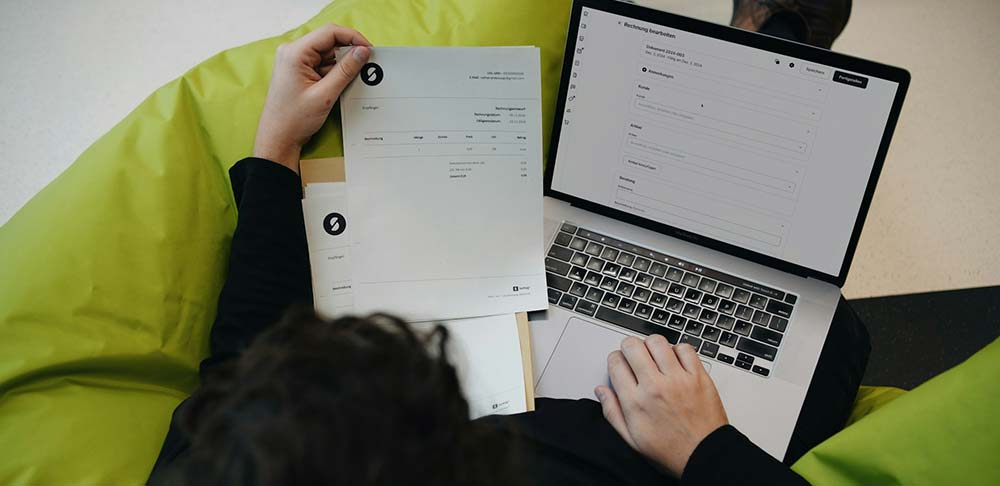
When using an invoice design tool, flexibility in layout customization is key. You can easily arrange elements like the header, item section, and footer using a drag-and-drop editor. This keeps your invoice clean and consistent across projects. Modular layouts also let you save templates and reuse them later.
Branding and Identity Control
Beyond functionality, your invoice design should reflect your business identity. With branding customization features, you can add your logo, choose colors, and use fonts that match your company’s visual style. Business information fields can also be set to appear automatically, so you don’t have to retype them each time.
Smart Fields & Dynamic Data
Smart invoice fields make data entry much more efficient. Client names, invoice dates, and numbers can all be filled in automatically. Even calculations like subtotal, tax, and total are handled using calculated fields. Some tools even support conditional logic, like showing optional items or discounts only when needed.
2. Managing Templates and Integration Capabilities
Template Library and Reusability
One of the main benefits of using an invoice template designer is the ability to save and reuse your previous invoice designs. With a template library, you can choose from various ready-to-use layouts. This saves you tons of time, especially if you frequently send invoices with similar structures.
Data Management & Exporting
Next, make sure your tool handles data efficiently. For example, integration with your client database or product catalog can speed up the info entry process. Export features that support multiple formats, like PDF, Word, CSV, or Excel, are also important so you can share invoices in the format your client prefers.
Connected Systems and Tools
To make your invoicing system truly efficient, your tool should integrate with other software you already use. Many modern invoice template designers support integration with accounting tools like QuickBooks or Xero, and payment gateways like PayPal and Stripe. You can even sync data with cloud storage platforms like Google Drive or Dropbox, so your documents are safe and accessible anytime.
3. Design Principles for Professional Invoice Templates
Layout and Readability Best Practices
A well-designed invoice should ensure that all information is clear and easy to understand. Use proper visual hierarchy. Make sure the total amount and due date stand out. Use different font sizes and strategic positioning to guide the reader’s attention. Also, leave enough white space to keep the layout clean and readable.
Brand Consistency and Style
Your invoice is part of your business identity, so don’t ignore branding. Use consistent colors, logos, and typography that match your website and marketing materials. This helps reinforce your brand image. You can go with a minimalist design for a clean and elegant look or opt for something bold and expressive if that better fits your brand and target audience.
Accessibility and Print Optimization
Don’t forget that invoices can be delivered in both digital and print formats. That means your design needs to be compatible with both. Optimizing for both formats will make your invoice more versatile and user-friendly.
4. Who Needs Invoice Template Software and Why?
Ideal Users and Industrie
Invoice template software isn’t just for large corporations. Freelancers, such as designers, writers, photographers, and consultants, benefit greatly from it. They often juggle multiple clients and projects, so a fast, consistent, and professional invoicing system is a must.
Startups and creative agencies also need invoices that not only function well but represent their brand identity. Even e-commerce businesses, especially those using platforms like Shopify or WooCommerce, can benefit from invoice automation to manage high-volume daily transactions.
Business Benefits and Use Cases
Using invoice template software offers many practical benefits. First, it saves time since formats and data are pre-structured. Second, it reduces manual errors through auto-fill and automatic calculations. Third, professional-looking invoices build trust and credibility with your clients.
Conclusion: Start Designing Smarter Invoices Today
Now you know that an invoice template designer is more than just a helpful tool. It’s a comprehensive solution that makes invoicing faster, neater, and more professional. From customizable layouts and integration with various platforms to future-ready features like AI and interactivity, everything is designed to help you work more efficiently.
If invoicing often feels time-consuming or confusing, it might be time to switch to a smarter system. Start by choosing a tool that fits your needs, then customize the templates to match your style and brand identity.