What Are Canva AI Tools?
Definition and Purpose
In today’s digital era, the need for fast and efficient visual design is higher than ever. Especially if you’re not a professional designer, the design process can feel complicated and time-consuming. This is where Canva AI tools come in to simplify your design workflow.
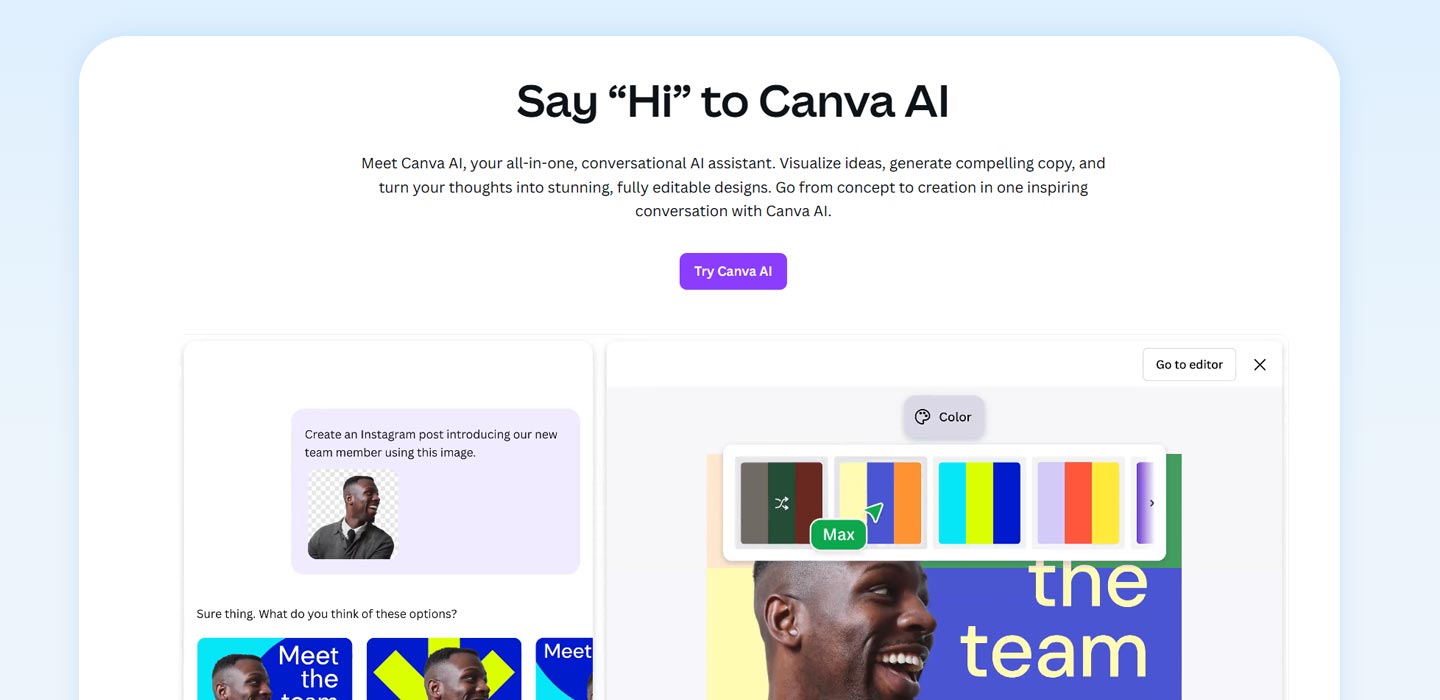
Canva AI tools are a set of AI-powered features built directly into the Canva platform. Their purpose is to make it easier for you to create visual content, whether it’s for social media, presentations, or other business materials. With the help of AI, you can produce professional designs without starting from scratch or learning complex design software.
For instance, you can use Magic Write to generate text automatically or Magic Design to produce a design template based on just a simple idea. All of these features are designed to help you work faster, be more creative, and stay efficient.
Availability Across Canva Plans
Interestingly, most Canva AI tools are accessible even if you’re using a free account. However, advanced features like Text-to-Video, Magic Edit, and some personalized options are typically only available in Canva Pro or Enterprise plans. With this freemium model, you can still explore and experience Canva’s AI capabilities without committing to a subscription. But if you want more flexibility and higher output quality, upgrading to a paid version could be a valuable investment.
Whether you start with Canva Free or go directly to Canva Pro, you can still benefit from a variety of Canva AI tools to simplify your design process.
1. Key Features of Canva AI Tools
AI Content Generation Tools
Canva provides tools that significantly simplify content production. One of them is Magic Write, an AI feature that automatically generates text. You can use it to create captions, headlines, or even product descriptions with a single prompt. This feature is especially useful when you need quick results while still maintaining a professional tone.
Design Automation & Enhancement
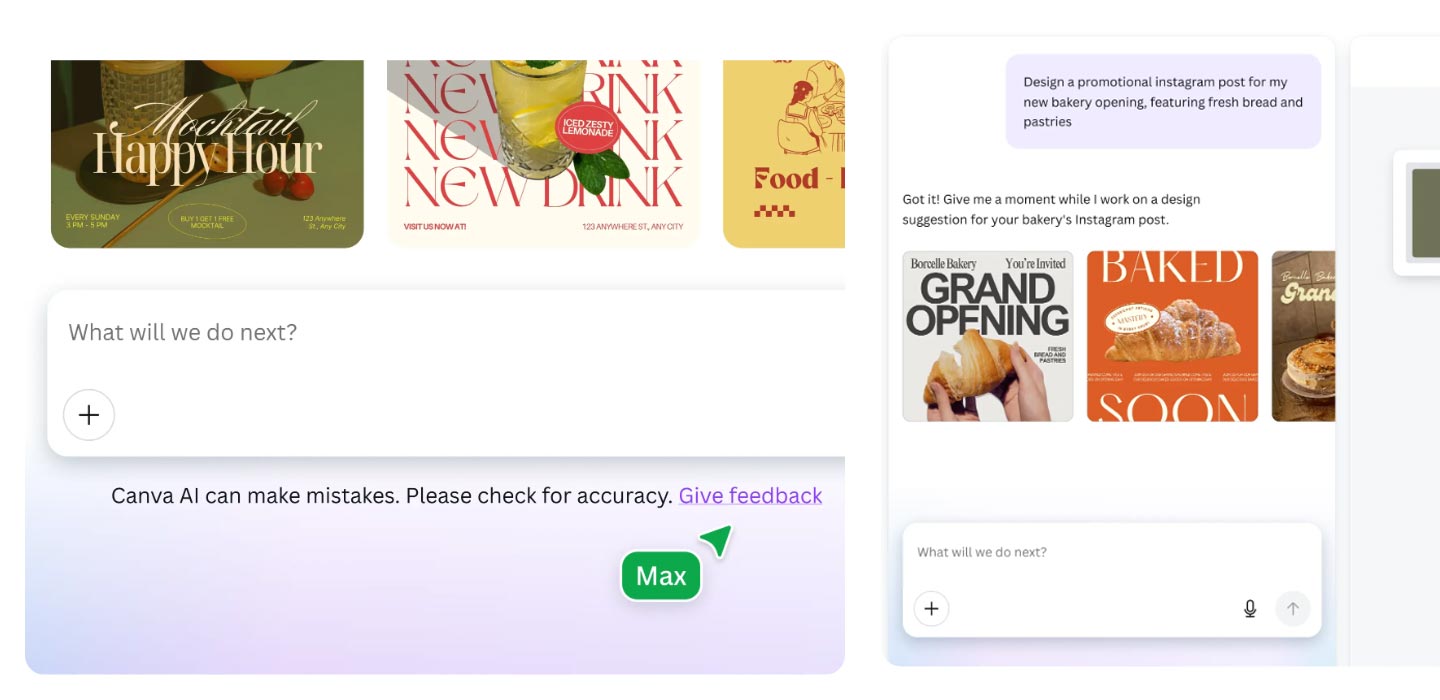
Beyond writing, Canva also helps you build your design layout. With Magic Design, you simply enter an idea or upload an image, and Canva will generate templates that match your needs automatically. There’s also Magic Edit, which lets you alter specific parts of an image with just a text command.
Additional tools like Magic Erase, Background Remover, and AI Image Enhancer speed up editing without needing separate design software. All these tools are designed to help you produce better, faster, and visually consistent designs. By leveraging the intelligent features in Canva AI tools, you can save time while improving the quality of your content, no design degree required.
2. Benefits of Using Canva AI Tools
Faster Design Workflows
With Canva AI tools, you can cut down the time usually needed to design from scratch. Features like Magic Design and Magic Write help you organize your layout and content within seconds.
Boosted Creativity and Inspiration
Sometimes, creative blocks happen. Canva acts as your creative partner by offering fresh design suggestions, unique visuals via Magic Media, and style variations you can explore instantly.
Accessible for Non-Designers
You don’t need a design background. Every AI tool in Canva is built to be user-friendly, whether you’re a beginner, a small business owner, or part of a marketing team.
Smart Personalization
If you already have a brand kit, Canva will automatically adjust colors, fonts, and visual styles to match your brand identity.
Cost-Saving Solutions
These features reduce the need to hire additional designers or purchase separate software. This can be a huge help in managing your budget efficiently.
Using Canva AI tools isn’t just about convenience. It’s a strategy for delivering higher-quality design with more savings and less hassle.
3. Real-World Use Cases for Canva AI Tools
Social Media Marketing
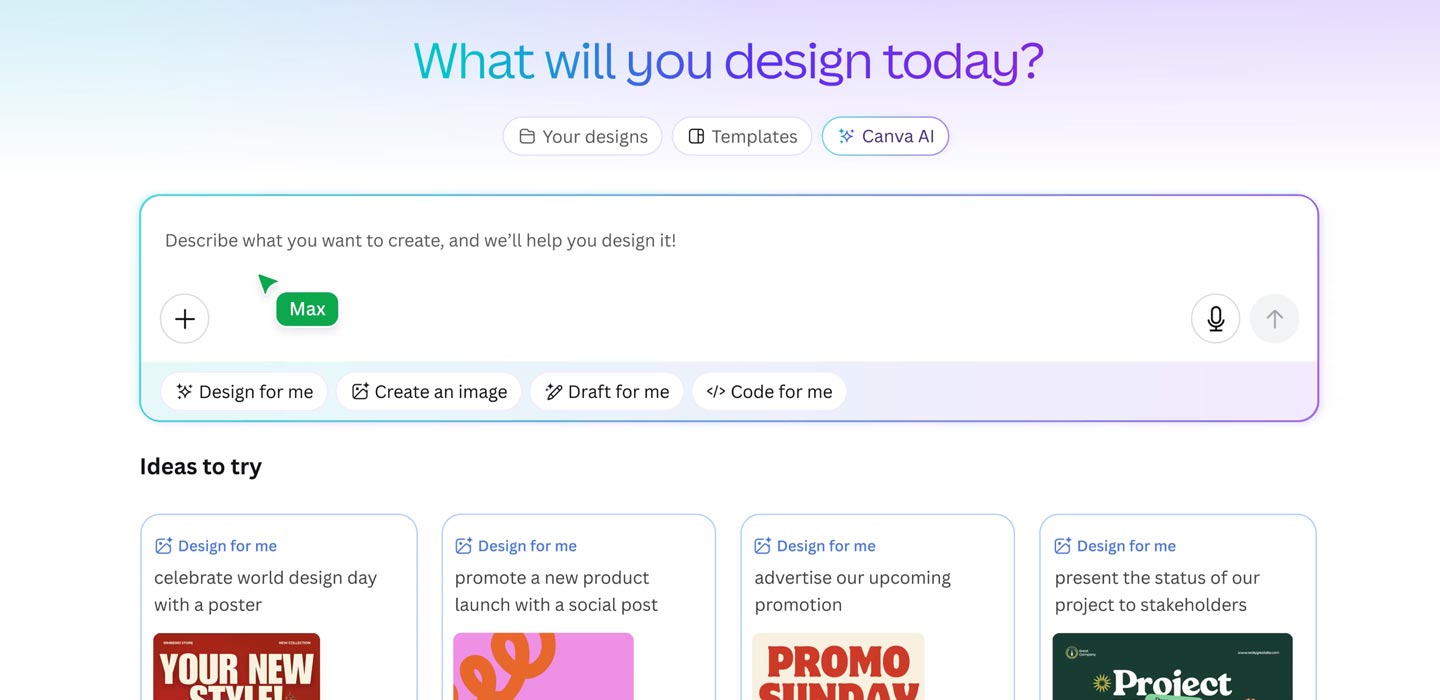
If you’re regularly creating content for Instagram, Facebook, or TikTok, Canva AI tools are a fast-track solution. Use Magic Write for catchy captions and pair it with Magic Design to generate visuals that match your brand. You can get all this done in a fraction of the time.
Business Presentations
Creating professional presentations is now easier than ever. With the Presentation Generator inside Magic Design, all you need to do is input your topic or main points. Canva will turn it into neatly arranged slides. You can even add speaker notes with the help of Magic Write.
Content Creators & Bloggers
If you’re a blogger or content creator, you can quickly create YouTube thumbnails, infographics, or eBook covers. Use Text-to-Image to generate unique, non-generic illustrations straight from your ideas.
Personal Projects
For personal projects like invitations, greeting cards, or family event posters, tools like Magic Edit and Background Remover make layout customization easy, no Photoshop needed.
Corporate Documents & Reports
For business needs, you can create reports, proposals, or corporate documents that look professional and stay aligned with your brand kit, within just a few clicks. Whatever your project, business, personal, or digital content, Canva AI tools help you work faster while staying creative.
4. How Canva AI Tools Work with Other Platforms
Seamless Workflow Inside Canva
One of the biggest strengths of Canva AI tools is their seamless integration within the design workflow. All the AI features, Magic Write, Magic Edit, Magic Design, are available within a single interface, so you don’t need to switch between apps. That means you can write, design, and edit all in one place.
Third-Party Integrations
Beyond that, Canva also connects with the platforms you use daily. From Google Workspace to Slack and Microsoft Teams, you can insert designs into documents, share them in chats, or collaborate across teams quickly. You can even schedule social media posts directly from Canva.
Real-Time Collaboration with AI
When working in teams, Canva’s real-time collaboration allows everyone to view and edit designs together. Plus, AI suggestions appear as you work, whether it’s for font choices, color schemes, or layout composition.
Free vs Pro Features: What You Need to Know
Some integrations and AI features are exclusive to Canva Pro or Enterprise, so it’s important to know what’s available under a free account. Even so, Canva Free users still get access to many essential AI features.
Thanks to its connected ecosystem and collaborative-friendly design, Canva AI tools deliver a truly efficient creative experience from start to finish.
5. Challenges & Limitations of Canva AI Tools
Variable Output Quality
While Canva AI tools are helpful, their outputs aren’t always perfect. Sometimes, Magic Write or Magic Media can generate results that are off-topic or generic, especially if your prompt is too short or vague.
Paywall Barriers
Many advanced features such as Text-to-Video, Brand Voice Adaptation, and deeper personalization options are locked behind Canva Pro or Enterprise. For free users, this limits flexibility in more complex design tasks.
Legal & Ethical Considerations
AI use in design brings ethical concerns too. For example, it’s not always clear who owns the rights to AI-generated images. You should also be cautious about data usage and privacy, especially when collaborating or storing brand assets online.
Overreliance on AI
Relying too much on AI may stifle creativity. If you simply accept AI output without tweaking it, your designs might feel stiff or too similar to others, risky for brands wanting a unique edge.
In essence, while highly practical, Canva AI tools still need your creative oversight. Use them wisely, and always refine the output to reflect your identity and design goals.
6. The Future of Canva AI Tools
Multimodal Design Experiences
In the future, Canva AI tools may be able to combine various types of input such as text, images, sound, and even video into one seamless workflow. With this multimodal approach, you could create visual content from voice commands or mix audio and animation more easily.
Smarter Personalization
Personalization will become much more advanced. Canva’s AI may soon learn your design habits, your favorite colors, frequently used fonts, and content tone. So every suggestion feels truly tailored to your brand.
Collaborative AI Teams
AI won’t just be a solo tool. It’ll become a team member. Features like AI creative assistants could help brainstorm ideas, build visual campaigns, or even co-design marketing content with your team in real time.
Innovative Input Methods
New ways of giving input will emerge, like voice-to-design or sketch-to-design, where your voice or hand-drawn sketches are instantly transformed into polished layouts. This will expand how users interact with Canva.
Real-Time AI Optimization
Lastly, Canva is likely to introduce real-time design feedback. For example, AI might suggest improving text readability, layout balance, or the conversion potential of your design.