
How to Optimize Your LinkedIn Profile as a Designer
Profile Picture & Banner
The first thing people notice when visiting your profile is your photo and banner. Make sure you use a high-quality, professional-looking profile picture. Avoid selfies or overly casual shots. For the banner, you can display your design work, a creative quote, or visuals that reflect your personal brand as a designer. This helps create a strong first impression.
Custom LinkedIn URL
Make your profile URL shorter and easier to remember. Customize the default link to your name, such as linkedin.com/in/yourname. It looks cleaner when shared in your portfolio or resume.
Headline That Highlights Your Design Role
Use a headline that clearly communicates your specialization, such as “UI/UX Designer | Visual Brand Creator.” Include relevant keywords to increase your chances of being discovered by recruiters or clients.
Write an Impactful Summary Section
In the About section, take a storytelling approach. Share who you are, the value you bring, and measurable achievements. For example: “Increased mobile app conversion rate by 30% through a full redesign.” Add soft skills like collaboration and communication.
Highlighting Your Experience Strategically
Describe each job experience by emphasizing the impact or value you delivered, not just the tasks. Use action verbs and link to live projects whenever possible.
Showcase Skills & Get Endorsements
Separate hard skills like Figma or Photoshop from soft skills like problem-solving. Actively ask colleagues or clients to endorse your skills.
Listing Education and Certifications
Include formal education, bootcamps, or online courses like LinkedIn Learning. This reinforces your credibility as a lifelong learner in design.
Linking Your Portfolio to Your Profile
Use the Featured section to showcase your best projects. Add links to Behance, Dribbble, or your personal website so people can instantly view your work.
Beyond visuals, optimizing your LinkedIn for Designers also means building credibility and making it easy for people to understand your professional identity. Start with the visuals, then strengthen your profile with compelling narratives and evidence of your work.
1. Building a Personal Brand Through Content on LinkedIn
Share Original Design Projects
One of the most effective ways to strengthen your personal brand on LinkedIn for Designers is by regularly sharing your own work. Whether it’s a case study, final UI screens, or a complete design process, all of these showcase your expertise and creative thinking. Add visuals like mockups or carousel slides to make your posts more engaging.
Publish Thought Leadership Content
Besides your work, share insights about the design world, like current trends, favorite tools, or lessons learned from real projects. This shows that you’re not just a designer who can execute, but someone with a thoughtful perspective.
Curate and Comment on Industry Content
If you don’t have time to create your own content, stay active by sharing articles or videos from other sources. But don’t just repost, add personal opinions or relevant context so your audience sees your added value.
Share Behind-the-Scenes and Stories
Tell personal stories from your design journey, challenges during a big revision or how you collaborated with developers. Content like this makes you more relatable and human.
Best Practices for Engagement
To keep your content from going unnoticed, respond to comments and invite discussions. Use a friendly but not overly formal tone. The more you interact, the stronger your brand image becomes.
How Often Should Designers Post?
Ideally, post 2–3 times per week. Use carousel format, clean visuals, and a consistent structure to make your content easily recognizable.
2. Networking on LinkedIn as a Designer
Connect with the Right People
Your professional network is a key asset in the design world. When building connections on LinkedIn for Designers, don’t just accept or send requests randomly. Focus on people who matter, fellow designers, creative leads, agency owners, or hiring managers. Always include a short, personal message with your request to avoid sounding generic.
Interact with Posts and Comments
Your activity in comment sections plays a big role in increasing visibility. Take the time to leave meaningful comments, not just “cool” or “nice!” Show that you understand the topic. It’s a simple but powerful way to build your image as an engaged and thoughtful designer.
Join Design-Focused LinkedIn Groups
Join design communities like “UX Design” or “Creative Professionals.” These are great spaces for discussion, Q&A, and sharing resources. You’ll also expand your content reach.
Follow Industry Leaders and Companies
Don’t hesitate to follow senior designers, creative directors, or companies you admire. By liking or commenting on their posts, you increase your chances of getting noticed in return.
Conduct Informational Interviews
If you admire a designer or want to learn more about a company, try requesting a short chat via DM. Just 15 minutes is enough to learn about their workflow, culture, or career advice from someone with experience.
3. Using LinkedIn to Find Design Jobs & Freelance Projects
Set Up Job Alerts and Filters
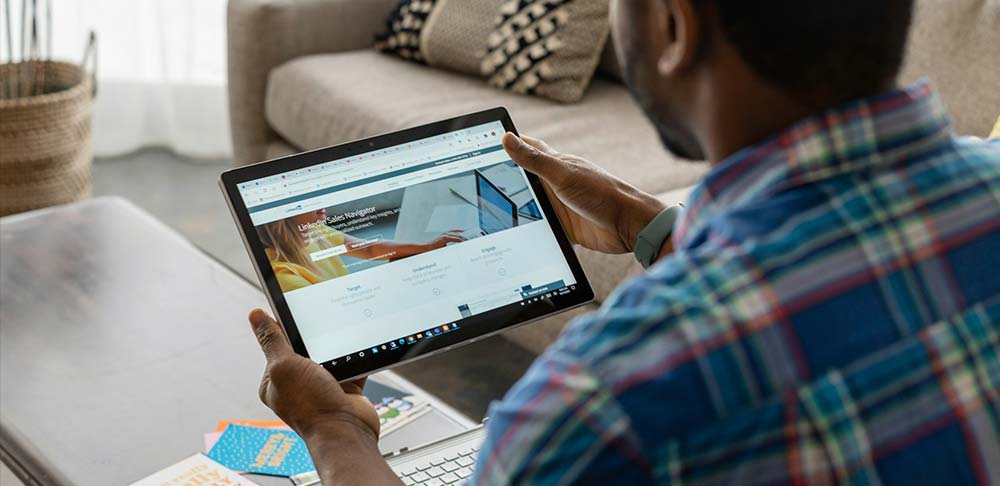
Use LinkedIn’s job search feature to its full potential by filtering based on location, job type (remote, freelance, full-time), and seniority level. Turn on notifications so you don’t miss opportunities that match your skills and interests.
Apply with Strategy Using “Easy Apply”
The Easy Apply feature is convenient, but don’t use it carelessly. Customize your message and include links to relevant portfolios. This shows that you’re serious and detail-oriented.
Research Companies Before Applying
Before submitting an application, take time to review the company’s page. Find out their values, their line of business, and their types of projects.ing there, you can ask them for a referral or insights.
Align Your Personal Brand with Target Roles
Make sure your profile’s look and tone match the roles you’re aiming for. If you’re targeting a dynamic startup, show your creativity and adaptability. If you’re aiming for a big corporation, make your branding look professional and solid.
Track Your Applications and Progress
To stay organized, create a list of all the applications you’ve submitted. Use a spreadsheet or tools like Notion to track your status, follow-up dates, and recruiter responses.
4. Keep Growing: LinkedIn for Ongoing Design Development
Learn Through LinkedIn Learning
If you want to keep growing as a designer, take advantage of LinkedIn Learning courses. Topics like UX research, motion design, or visual storytelling can help you grow in the areas you need. Once you complete a course, you can display it on your profile as proof of skill.
Stay Inspired Through the Platform
Stay inspired by following design content creators, design newsletters, or publications like Smashing Magazine or UX Collective. Their posts can be a great source of insight and fresh ideas to recharge your creative thinking.
Find or Become a Mentor
Don’t hesitate to find a mentor who can give feedback and career guidance. On the flip side, you can also be a mentor to junior designers. Start by replying to DMs, reviewing portfolios, or sharing helpful tips through posts.
Conclusion: Start Building Your Design Presence on LinkedIn
Now you know how to optimize your LinkedIn for Designers, from building a strong profile and posting relevant content to networking, job searching, and growing alongside the design community.